How to use Rubrik with Pro Logic Cloud - Archive Storage
To use this product with Pro Logic Cloud Archive Storage, please follow the configuration steps below.
1. Log in to the Rubrik interface. Access "Archival Locations" from settings as shown below

2. Click on the "+" in archival location
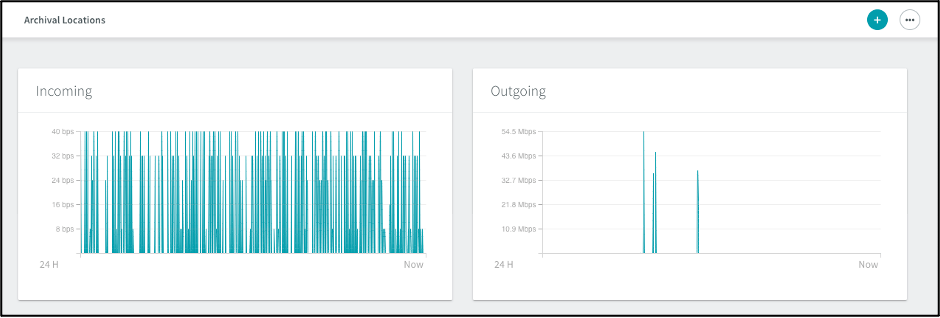
3. Choose Object Store in the Archival Type dropdown and provide the variables
- Archive Type: Use Object Store
- Object Store Vendor: S3 Compatible (Basho, Cloudian, IBM, COS, IIJ, etc)
- Access Key: use your Access Key
- Secret Key: use your Secret Key
- Host Name: Please the location URL as listed here:
- us-east-1 -> s3e1.prologicsystems.com
- Bucket prefix = unique name (Creates bucket name on the archive storage side with {bucket-name)-rubrik-0)
- Number of buckets = 1
- Update the Archival Location Name (Optional — this corresponds to the name in the Rubrik GUI)
- Add a RSA key for encryption and select "Add"
- you will need to generate with Open SSL
- openssl genrsa -out rubrik_encryption_key.pem 2048
4. The Archive Storage bucket will now be displayed as an S3Compatible location under Archival locations.
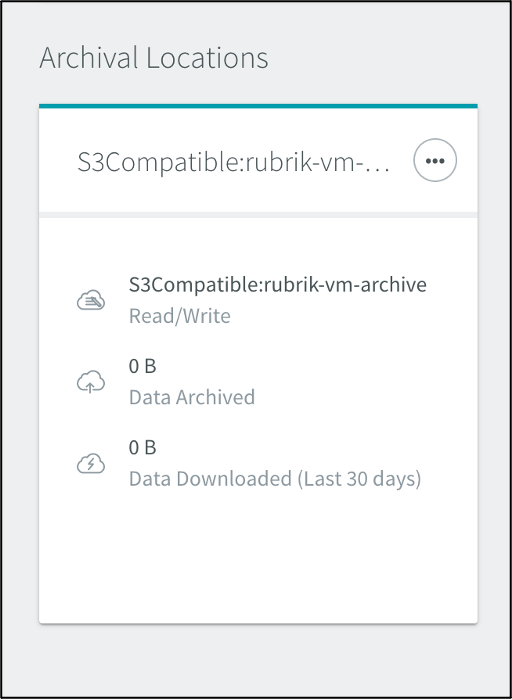
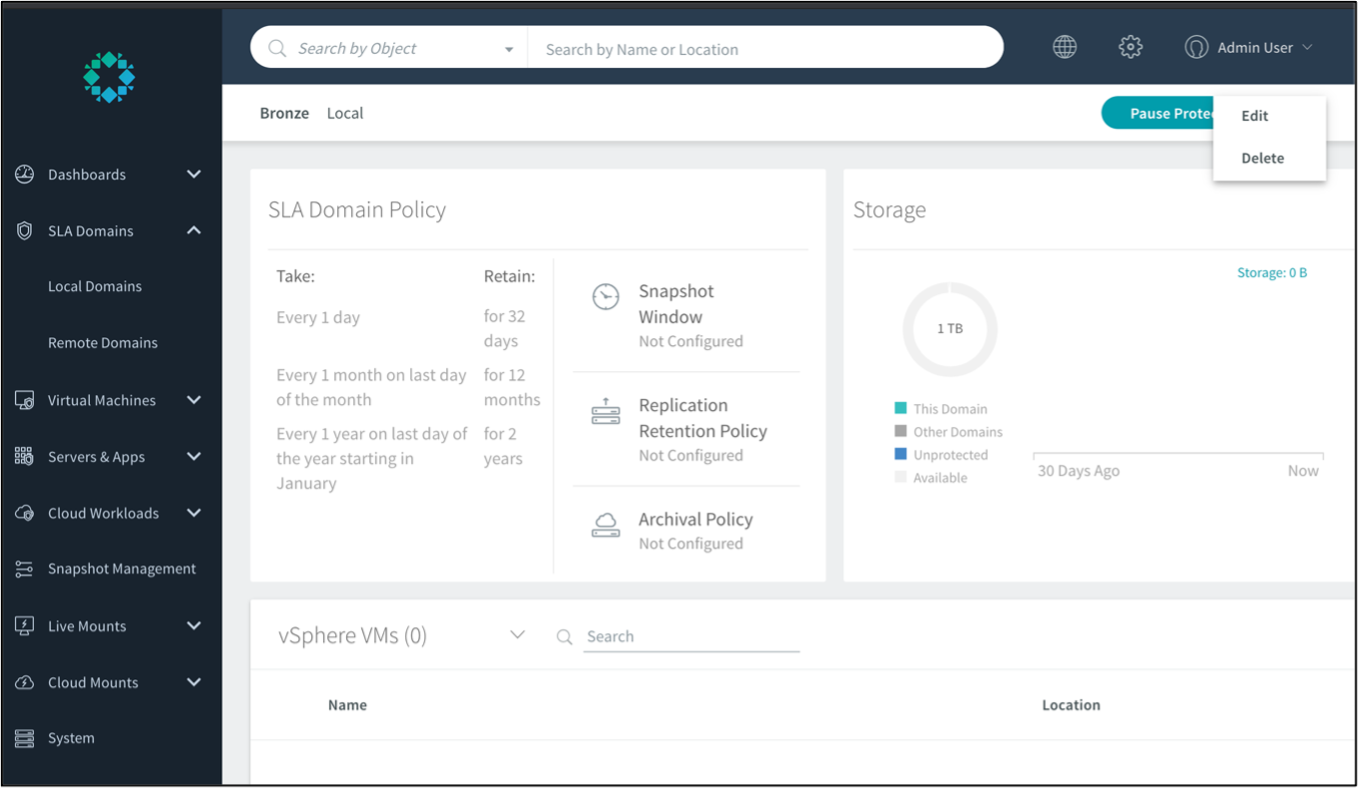
5. To archive the VMs to the Pro Logic bucket, we will need to assign our S3-compatible archival location to the SLA Domain policy.
Navigate to your SLA Domain policy and click on the three-dot menu (…) to Edit the policy.
7. In the Edit SLA Domain window, navigate to the Set Archiving and Replication section.
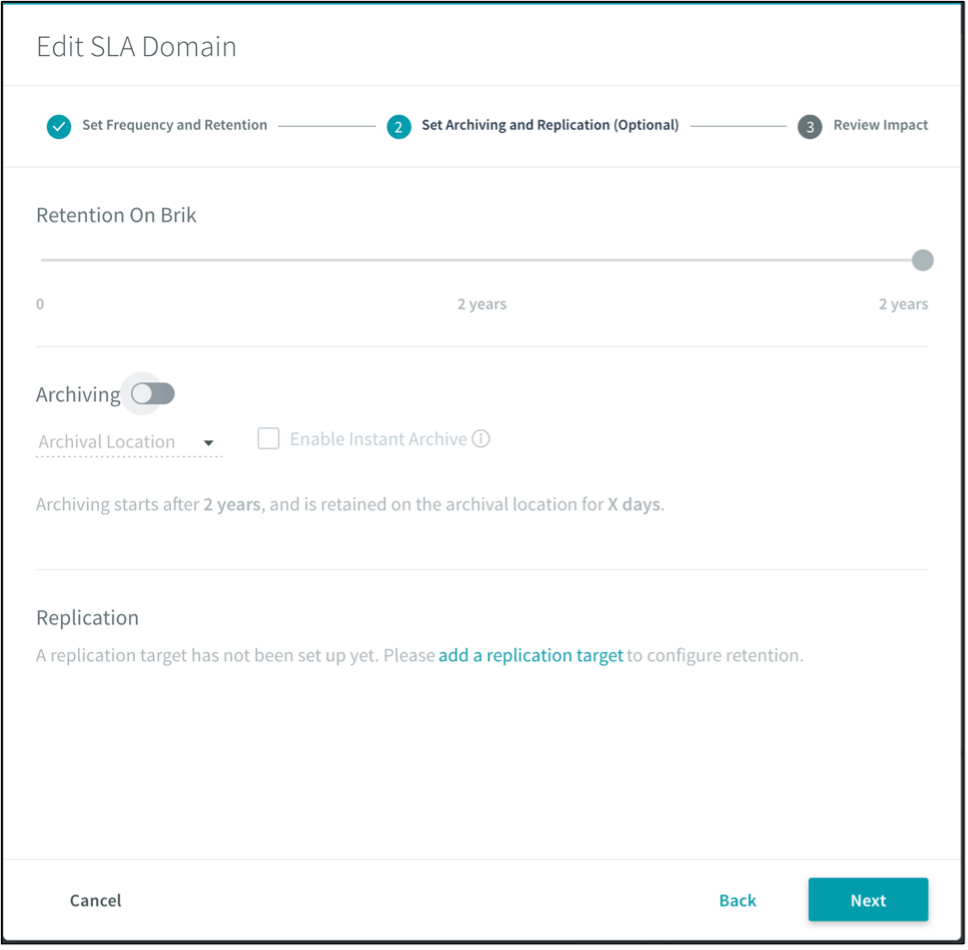
8. Enable Archiving and select the S3Compatible location from the dropdown menu and click Next and Update to update the SLA domain policy with Pro Logic Cloud Storage created in the prior step as the archival location.
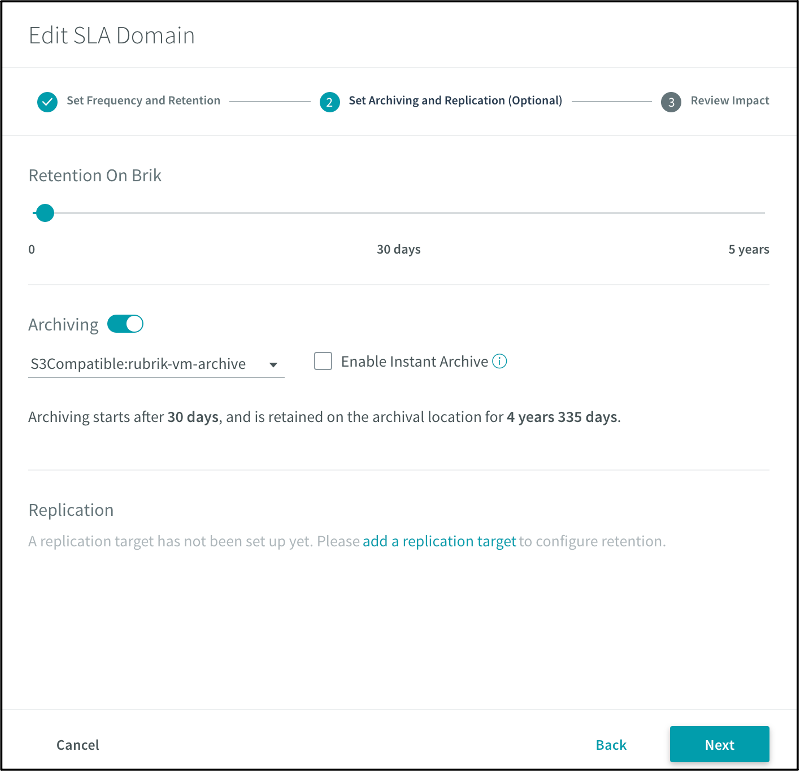
9. As per the SLA domain policy, the snapshots of the virtual machines belonging to the Bronze Domain will be stored on Rubrik for 30 days and then moved to the Pro Logic Cloud bucket, rubrik-vm-archive-rubrik-0.